





How to Send Private Information Via Email Securely
With over 350 billion emails exchanged every day, there’s a world of opportunity waiting for the enterprising cybercriminal. Emails can be easily intercepted, snooped on, altered, or outright stolen before reaching their destination. If you’re sending private information, relying on basic email alone is like whispering nuclear launch codes across a crowded Starbucks.
And if you’re part of a medical practice (hello, HIPAA), the stakes are even higher. Let’s break down if email is secure for sensitive data and how to keep your info safe without needing a secret handshake or a secure bunker.
Is Email Secure for Sensitive Data? By Default: No 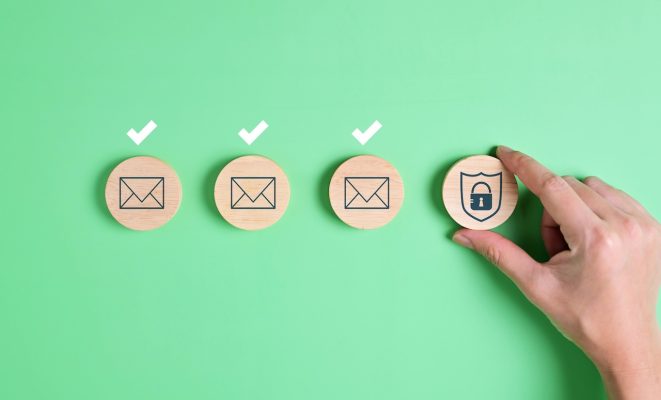
Think of email like a postcard: anyone handling it can read its contents if they want to. Here’s why:
- Lack of encryption: Standard emails bounce through multiple servers without being fully encrypted.
- Human error: Misaddressed emails are the digital equivalent of yelling your credit card number across a parking lot.
- Phishing & spoofing: Bad actors can impersonate trusted sources to trick you into sending sensitive data.
- Data breaches: If the recipient’s email account is compromised, your information could be served to a hacker on a silver platter.
Bottom line: If you’re wondering if email is secure for sensitive data, the short answer is no.
Email Best Practices: Your First Line of Defense
Even if you’re using additional security methods (which you should but we’ll get there), these basic moves are non-negotiable:
- Use a secure password: No, “Password123” doesn’t count. Use long, unique passphrases. Bonus points if you make it weird: RutabagaRodeo$57!
- Double-check the recipient: Typos kill. Verify you’re sending to the right address.
- Turn on Multi-Factor Authentication (MFA): It’s like having a deadbolt when the hacker only has a key to the doorknob.
- Limit the data you send: Only include what’s absolutely necessary and confirm sensitive details another way.
Following these basics makes you a much less attractive target.
Methods for Sending Secure Emails
Good news: You don’t need a spy agency budget to send sensitive data over email. Here are your best options:
1. Use a Dedicated Email Security Platform
Purpose-built email security solutions provide layers of protection that standard email providers simply can’t match. These platforms offer advanced threat protection, phishing defense, and encryption capabilities built directly into your email workflow. No complicated configurations required, just seamless protection that works in the background.
2. Send Encrypted Emails
Many email security platforms allow you to encrypt individual messages, protecting the content from being read by anyone except your intended recipient. Some solutions make this remarkably simple, requiring nothing more than a keyword in the subject line to trigger full end-to-end encryption. The recipient is then authenticated through existing credentials before they can access the message, with no extra accounts or plugins needed.
3. Encrypt Your Attachments
If the main message isn’t sensitive but the attachment is (e.g., a patient’s medical history), make sure your email security platform covers outbound attachments as part of its encryption workflow. If you need to send a sensitive attachment outside of an encrypted message, tools like 7-Zip or Adobe Acrobat allow you to add strong password protection. Just make sure you send any password separately, via phone or a different communication channel.
4. Be Cautious with “Self-Destructing” Email Claims
Some services advertise emails that expire after a set time or after being opened. While this sounds appealing, support for this feature varies widely by platform. If message expiration is important to your workflow, confirm with your email security provider exactly how long sent messages are retained and what controls you have over that window.
Compliance Considerations (Yes, It’s Serious)
Different industries = different rules of engagement for sending sensitive data over email.
- Healthcare (HIPAA): If you’re transmitting Protected Health Information (PHI), HIPAA requires strict encryption and access controls. Accidentally exposing patient data can mean massive fines and massive damage to your reputation.
- Financial (GLBA): Financial organizations must protect client data per the Gramm-Leach-Bliley Act.
- General Data Protection Regulation (GDPR): If you’re working with clients in the EU, GDPR has strict rules about data transmission and breach notification.
In short: when in doubt, assume the law expects you to treat sensitive information like it’s made of gold, and everyone is trying to steal it.
Common Angle pro tip: Always check your industry-specific requirements before sending anything sensitive over email.
Is There Information You Should Never Send Over Email?
Yes, absolutely. Here’s a quick no-go list unless very strong encryption is involved:
- Social Security Numbers
- Credit card information
- Full medical records
- Confidential legal documents
- Private login credentials (especially without MFA)
If you must send these kinds of info, use encrypted channels, secure portals, or other heavily secured methods. (Or, you know, hire an IT partner who can set it all up for you.)
How Common Angle Can Help
At Common Angle, we specialize in helping businesses—especially medical practices—protect sensitive information without grinding productivity to a halt. Whether you need secure email solutions, compliance consulting, or a full-blown cybersecurity strategy, we’ve got you covered.
Don’t leave your sensitive data up to chance. Contact us today to make sure your private information stays private.